

Your smartphone is not just a phone. Instead, it is one of the most powerful productivity tools you carry all the time. But the truth is, very few people use its full capabilities. By adopting a few smart habits and tweaks, your phone can help you stay focused, save time, and be more productive with less effort.
Here are a few smartphone hacks that can help you increase daily efficiency:
1. Start With Smart Notification Control
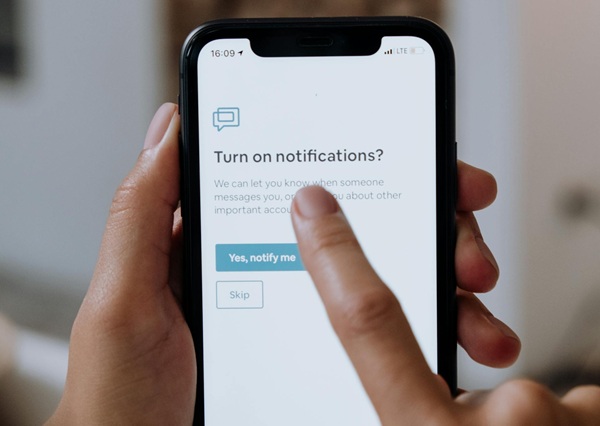
Notifications have both pros and cons. They help you stay informed, but they can also ruin your focus.
This is why you should filter the apps that are allowed to interrupt you. Promotional notifications, social media alerts, and other unnecessary updates often create distractions.
Quick Hack:
• Keep alerts only for messages, calls, calendar events, and work apps
• Turn off notifications for unnecessary apps
• Activate Do Not Disturb during important sessions
These simple hacks can reduce distractions by up to 70–80%.
Ask Yourself: Do I really want to know every time someone likes my post?
2. Use Widgets for Quick Updates
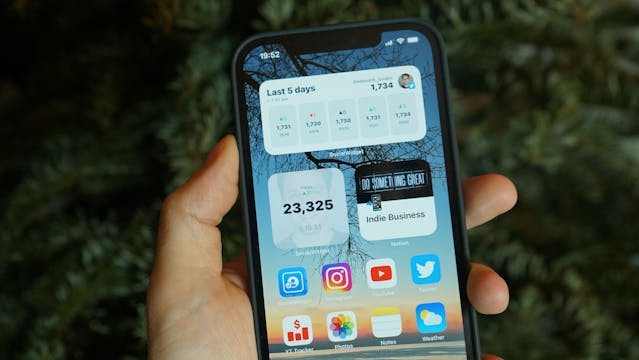
Instead of opening apps repeatedly, widgets can provide direct information.
Some useful widgets include:
• To-do list apps
• Calendar for your daily schedule
• Notes or reminders
• Weather updates
Widgets let you check appointments and tasks in seconds, reducing the time spent navigating apps.
Pro Tip:
Use widgets as your personal productivity dashboard.
3. Master Voice Commands

Switch to voice commands, as typing takes time. Try using voice commands to:
• Send messages
• Set reminders
• Create notes
• Start navigation
• Schedule meetings
For example, instead of opening multiple apps to set a reminder, simply say:
“Remind me about the meeting at 4 PM.”
In a few seconds, the reminder will be set without typing anything.
4. Automate Repetitive Tasks

Automation is one of the most underrated smartphone features. Automation tools and apps can help you:
• Turn on Wi-Fi when you reach home
• Automatically silence your phone at night
• Play music when you connect headphones
• Activate focus mode during work hours
These micro-automations can save time and reduce mental effort, helping you save hours every week.
5. Use the Two-Minute Capture Rule

Ideas come anytime and anywhere. If you don’t capture them, you may lose them. Create a habit of noting them quickly using:
• Voice memos
• Notes apps
• Task managers
If something takes less than a minute to record, capture it immediately. This habit makes life easier and ensures nothing important is missed.
6. Declutter Your Home Screen
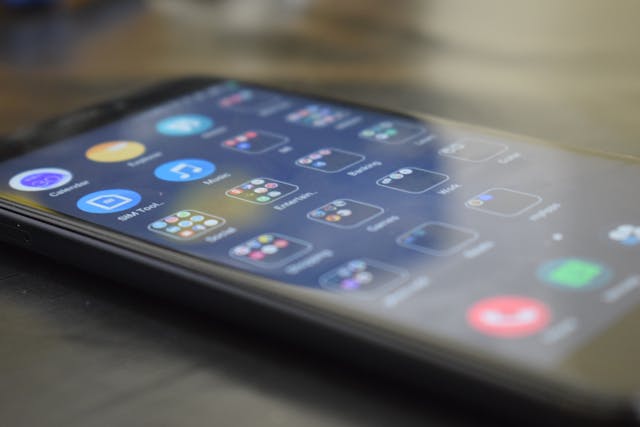
A cluttered home screen leads to wasted time and distractions. Try to keep it minimal:
First Screen:
• Tasks
• Communication apps
• Notes
• Calendar
Second Screen:
• Social media
• Entertainment
• Shopping apps
This helps keep productive apps handy while keeping distractions away.
7. Track Screen Time

Most people don’t track their screen time. However, most smartphones have built-in screen time trackers that show:
• Most-used apps
• Daily usage
• Time spent on social media
Tracking this data can be eye-opening and often motivates people to build better digital habits. Try setting daily limits for time-consuming apps.
Takeaway
Your smartphone should not be a source of distraction—it should be a productivity assistant. By controlling notifications, mastering voice commands, using widgets, automating tasks, organizing your home screen, and capturing ideas quickly, you can transform how you use your phone and AI tools to increase productivity.
Start small. Pick just two hacks from the list above and begin implementing them.
You’ll be amazed at how small changes can make a big difference in your daily efficiency.
We have a quick question for you:
Which smartphone habit or app wastes most of your time?